The Redo Log Reader is built for incident review, data change analysis, and DBA troubleshooting when the first question is simple: what changes are recorded in this redo log file?
Why inspect redo logs outside Oracle?
Oracle redo logs contain the chronological record of database changes. In normal operations, DBAs use Oracle-native tooling and database metadata to analyze those changes. In recovery, audit, or emergency review scenarios, however, you may only have a redo log file, a backup copy, or a limited environment.
DBRECOVER for Oracle 2605 provides a lightweight way to open the redo log file directly, inspect its sequence and SCN range, and run SQL against parsed redo rows before deciding whether deeper recovery work is required.
What the Redo Log Reader can do
Open redo log files
Select an Oracle redo log file and analyze its header, database character set, version, sequence, SCN range, size, and block count.
Use optional metadata sources
Provide a SQLite dictionary or SYSTEM DBF when object names and richer metadata are needed for analysis.
Query REDO_CONTENTS
Run SQL against parsed redo rows, including SCN, operation type, table name, transaction ID, and SQL_REDO text.
Review reconstructed SQL
Inspect INSERT, UPDATE, COMMIT, and other redo-derived operations in a tabular result view.
Query redo records with SQL
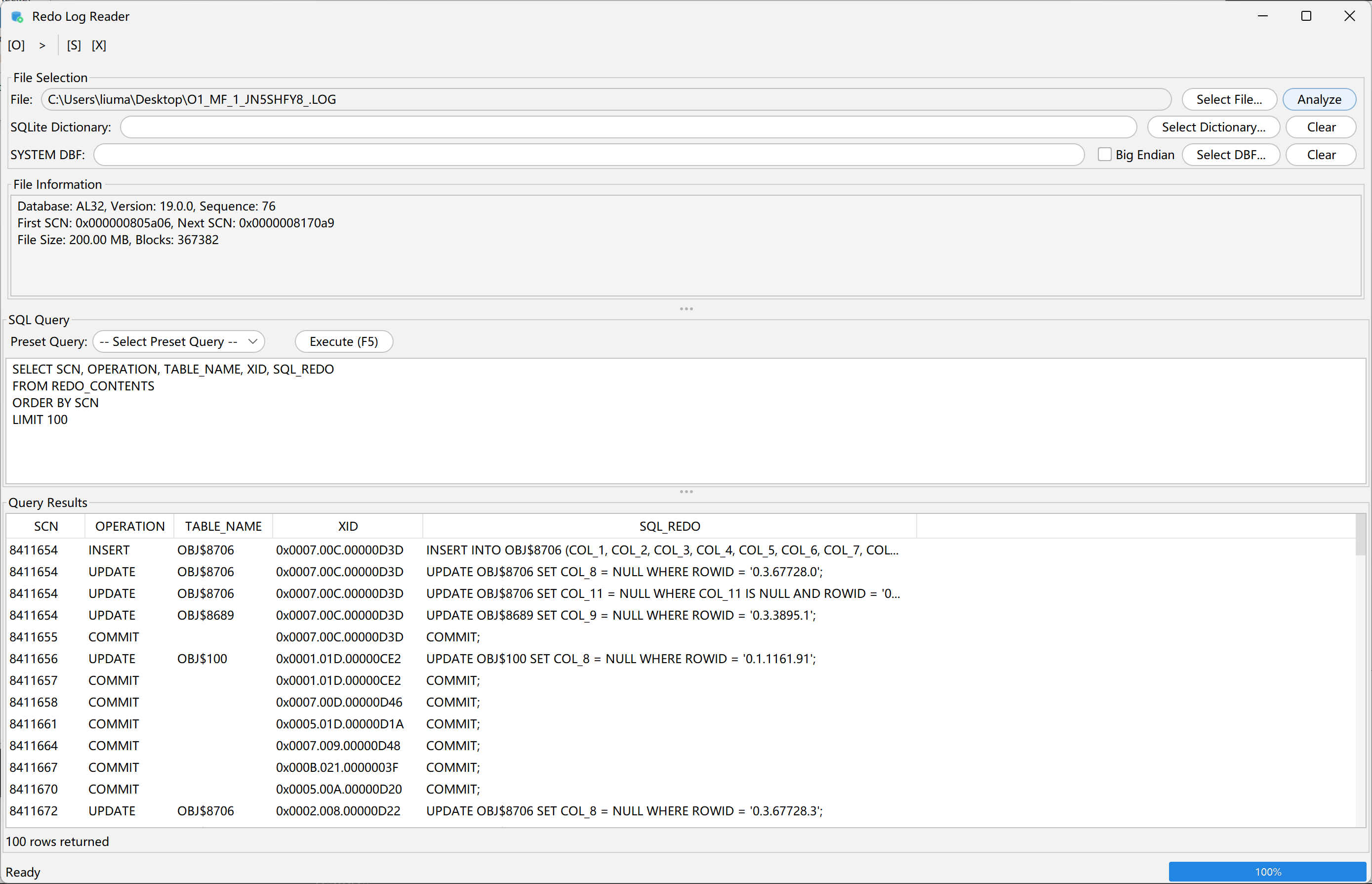
After selecting and analyzing a redo log file, the SQL Query panel can query the parsed redo records. A practical first query is to list the earliest changes by SCN:
SELECT SCN, OPERATION, TABLE_NAME, XID, SQL_REDO
FROM REDO_CONTENTS
ORDER BY SCN
LIMIT 100
This returns the SCN, operation type, table name, transaction ID, and reconstructed SQL text in the Query Results area.
Preset query for all changes
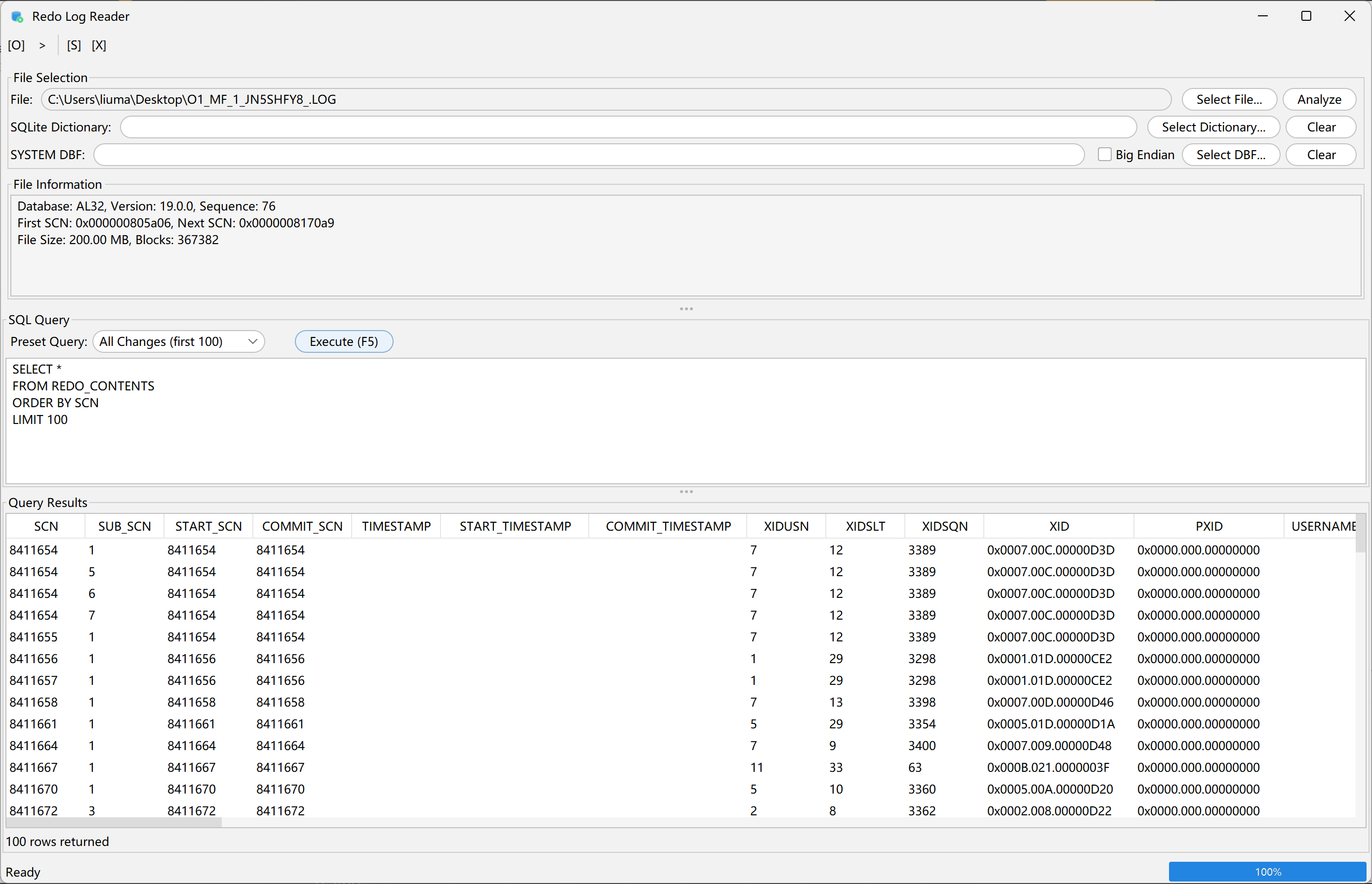
The Redo Log Reader also includes preset queries for common inspection tasks. The All Changes preset expands the result set to include more redo metadata:
SELECT *
FROM REDO_CONTENTS
ORDER BY SCN
LIMIT 100
This view is useful when you need transaction fields such as start SCN, commit SCN, timestamp fields, transaction slot information, and related metadata before narrowing down to a specific table or XID.
Typical workflow
-
Open the feature.
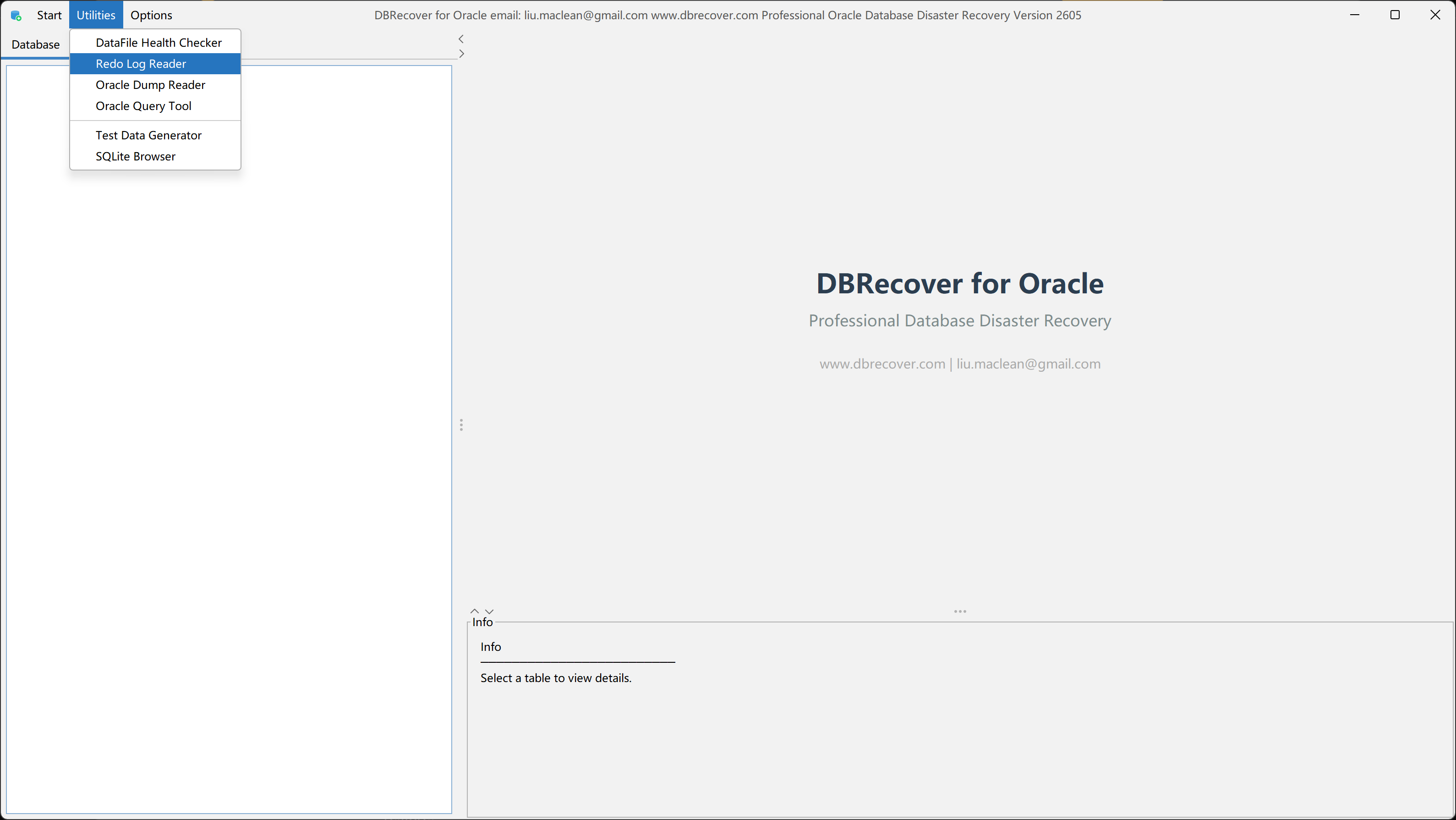
In DBRECOVER for Oracle, open
Utilitiesand chooseRedo Log Reader. -
Select a redo log.
Choose the target redo log file and click
Analyze. - Add dictionary context when needed. Provide a SQLite dictionary or SYSTEM DBF if object metadata is needed for clearer names and decoding.
- Review file information. Confirm database character set, version, sequence, first SCN, next SCN, file size, and block count.
-
Run a SQL query.
Query
REDO_CONTENTSmanually or choose a preset query, then inspect the result grid.
Where this helps
- Incident review: identify recent changes recorded in a redo log without waiting for a full environment build.
- Recovery triage: check SCN ranges and operations before planning a broader recovery process.
- Audit support: review transaction IDs, operations, and SQL_REDO for selected time or SCN ranges.
- Offline analysis: inspect copied redo logs locally when the original database is unavailable.
- DBA troubleshooting: quickly confirm whether a redo file contains the change pattern you are looking for.
Important notes
- Readable results depend on redo log condition, database version, endian format, and available dictionary metadata.
- Some object names or SQL text may require dictionary context such as a SQLite dictionary or SYSTEM DBF.
- Redo parsing is for analysis and verification. Full database disaster recovery still uses DBRECOVER for Oracle's main recovery workflow.
- For sensitive data, keep redo logs local and follow your organization's evidence handling and privacy requirements.
Download version 2605
The Redo Log Reader is available starting with DBRECOVER for Oracle 2605. Download it from the DBRECOVER for Oracle product page or directly download the 260715 beta package.
Redo log inspection and SQL query run locally in DBRECOVER. Production redo files do not need to be uploaded unless a separate secure support process explicitly requires it.